

✅ What You’ll Need
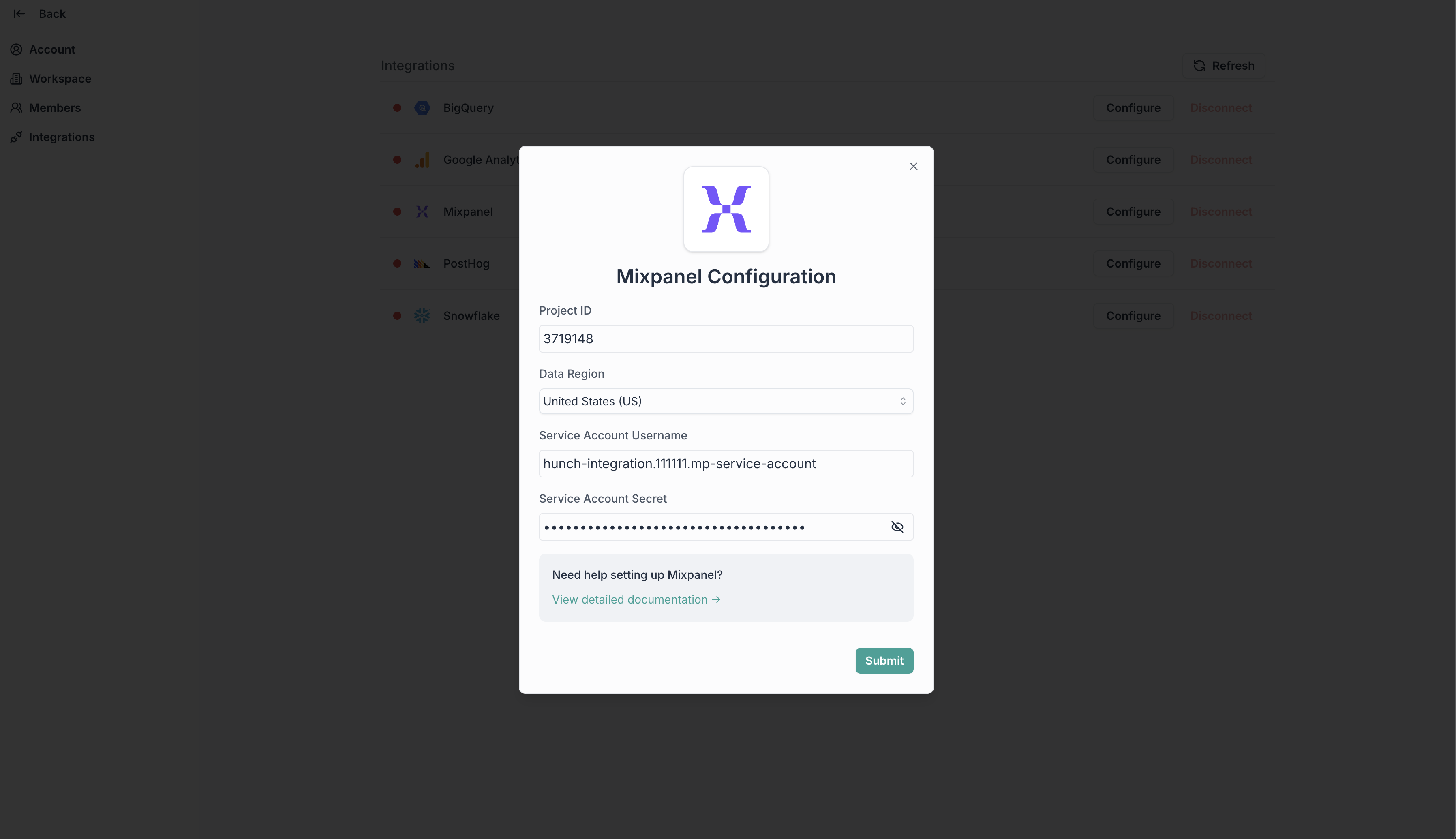
- Mixpanel Service Account Credentials (username & secret key)
- Mixpanel Project ID
1️⃣ Create a Service Account in Mixpanel
- Go to Mixpanel > ⚙️ Gear icon > Settings > Project Settings > Service Accounts
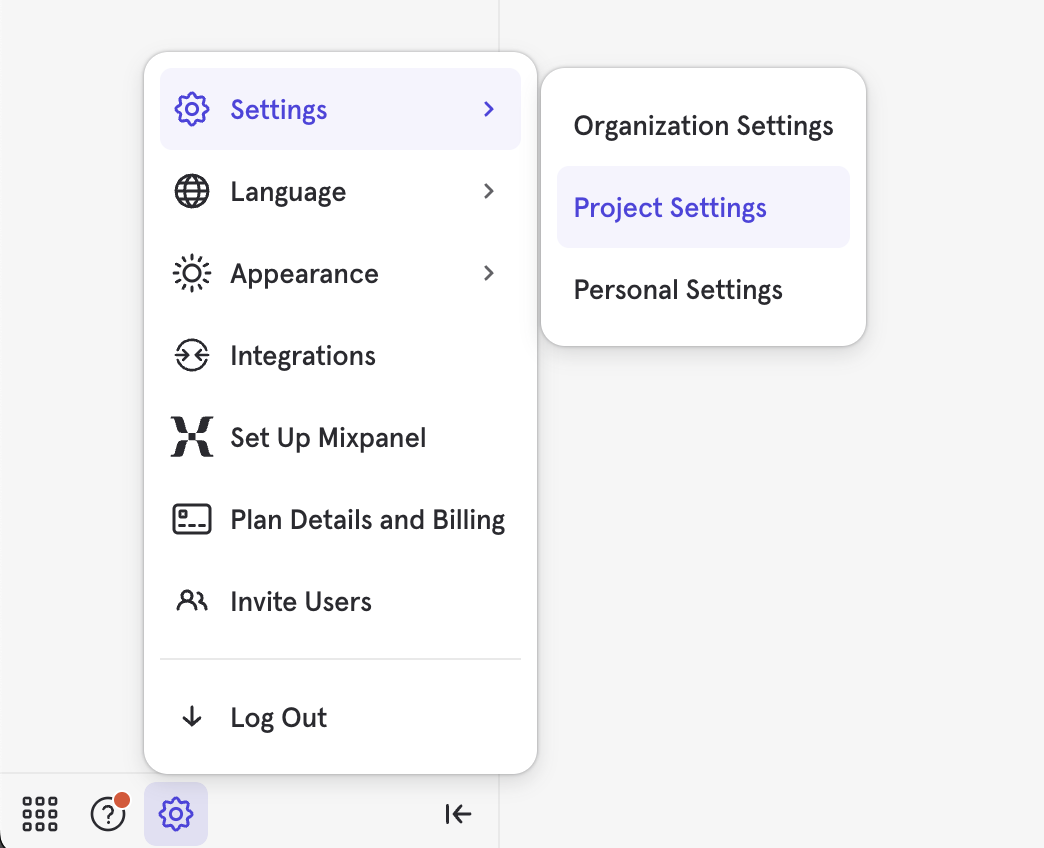
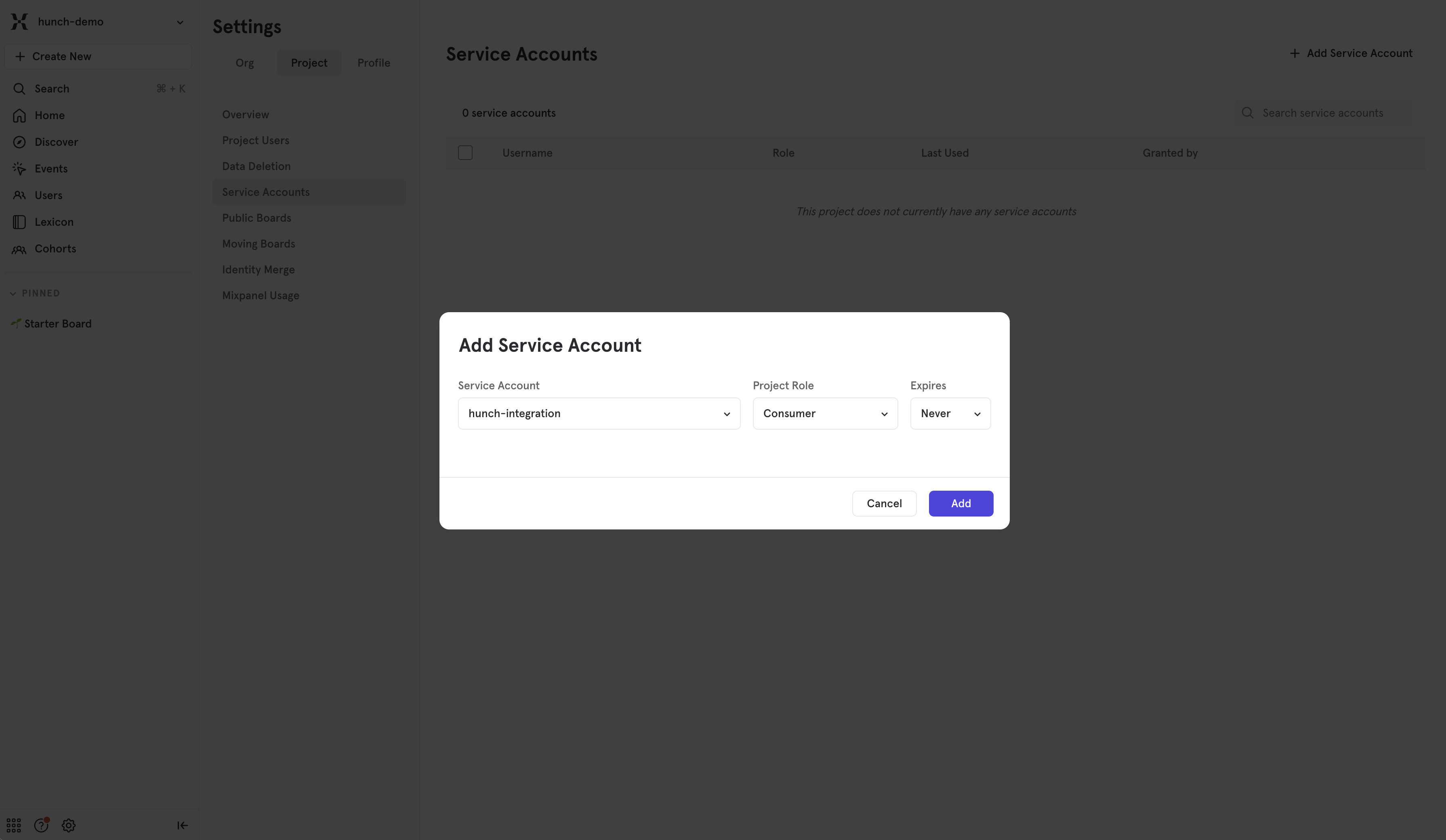
- Click +Add Service Account
- Name it (e.g., “hunch-integration”) and select the Consumer project role
- Click Add, and copy the Username and Secret
2️⃣ Find Your Mixpanel Project ID & Data Residency
You can find your Project ID and Data Residency in the Mixpanel project settings, make sure to copy these values.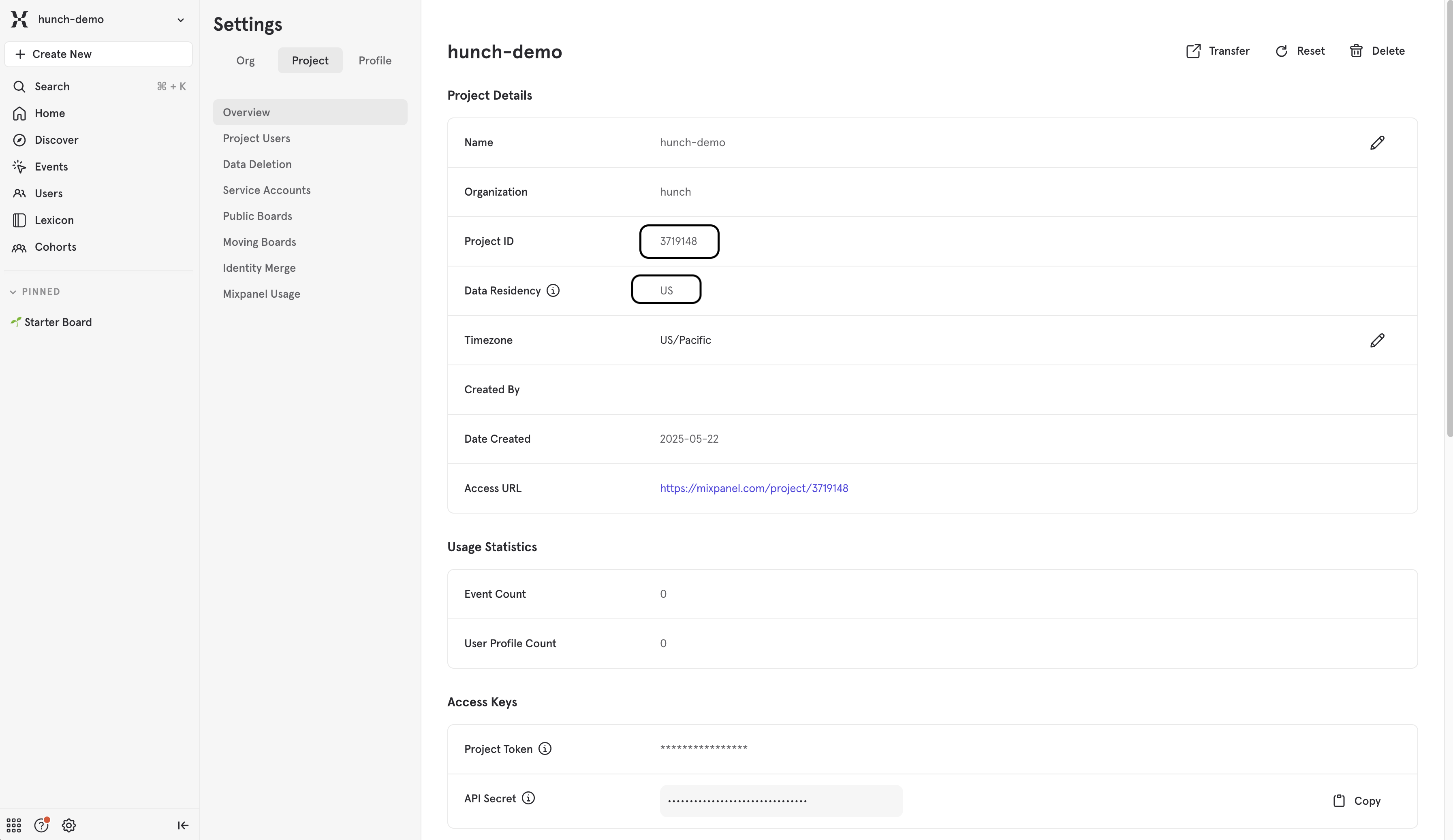
3️⃣ Connect Mixpanel to Hunch
- Log into Hunch.dev
- Click on your organization name > Connect Data
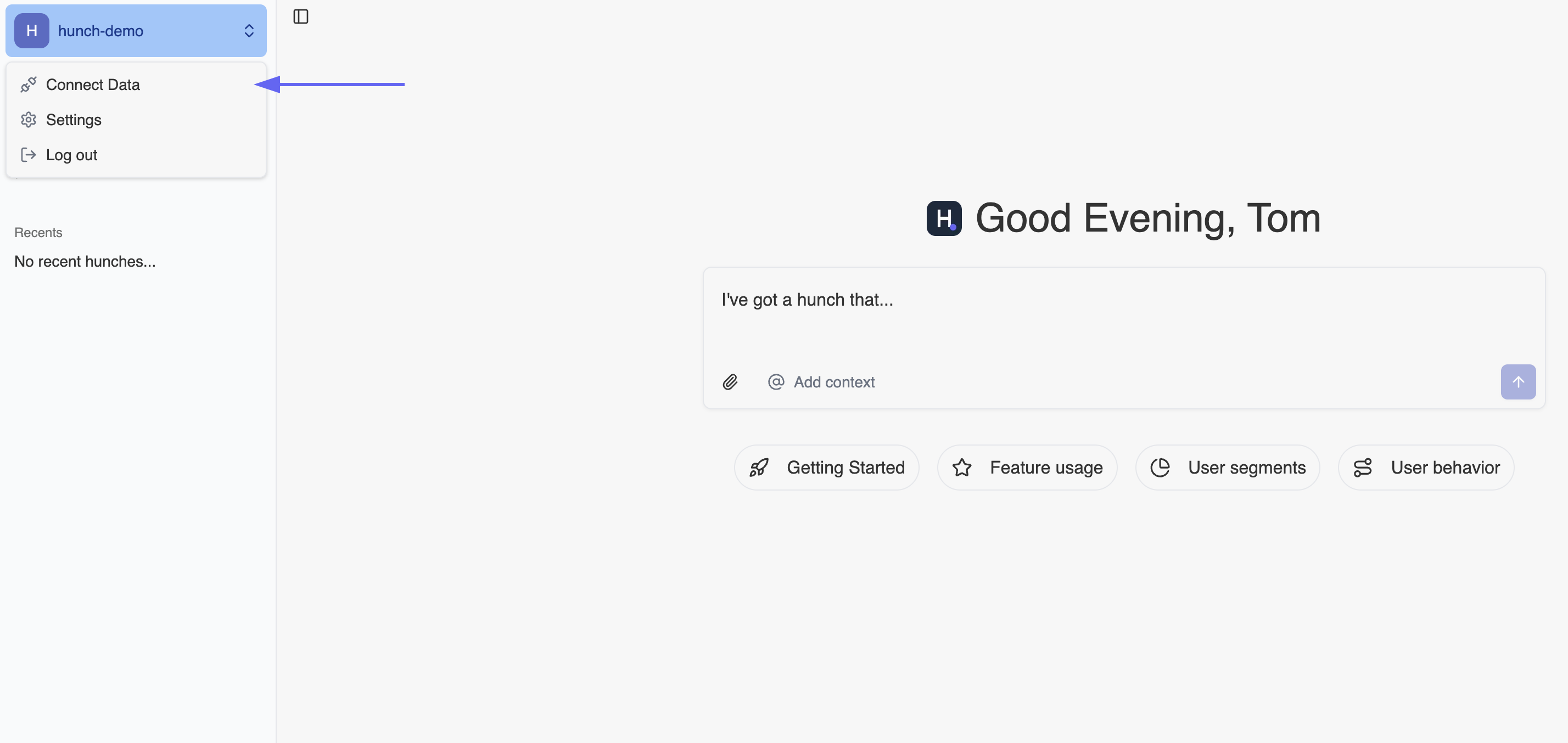
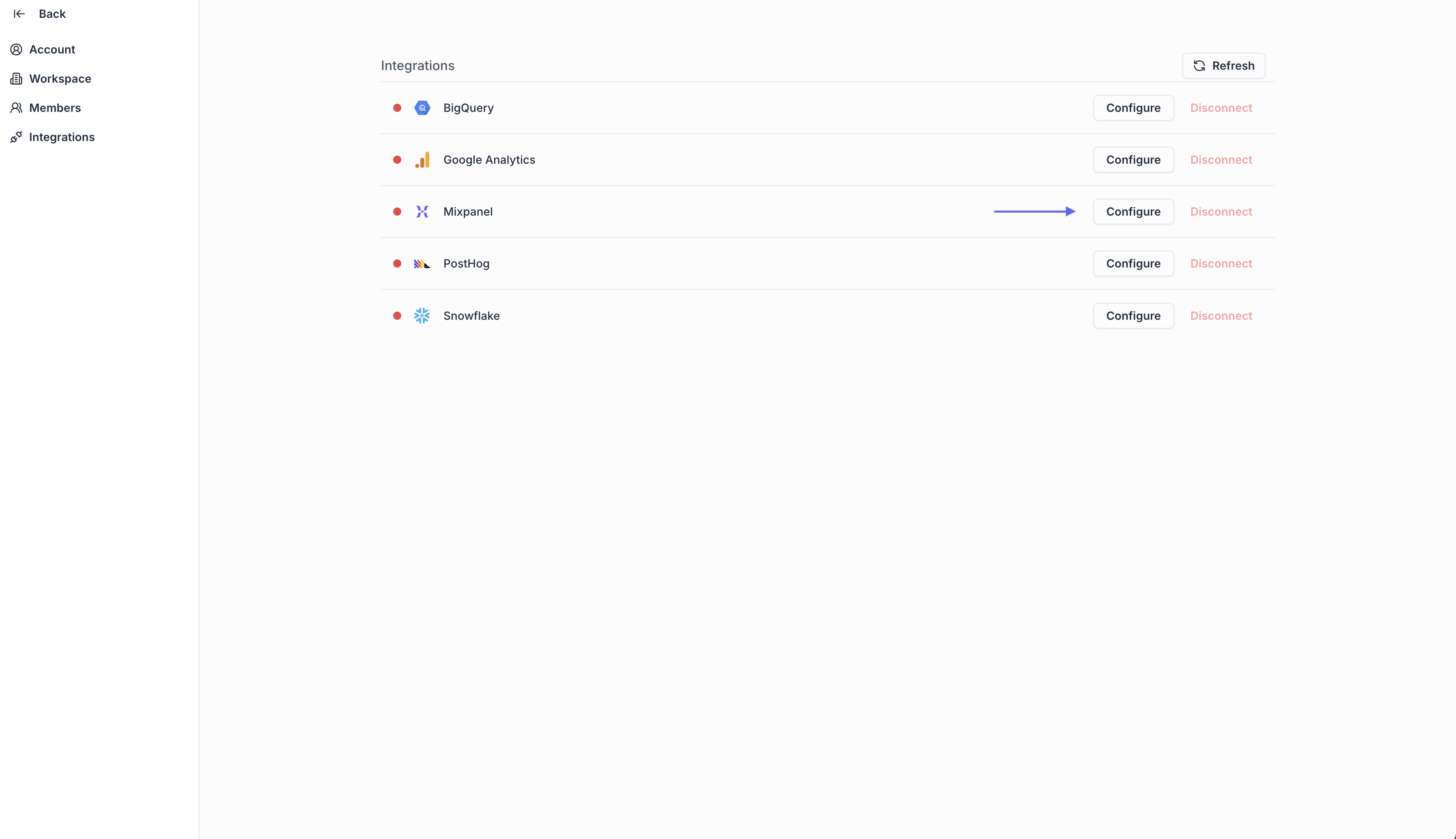
- Click Configure on the Mixpanel row
- Fill the form with the details from steps 1 & 2 and click Submit
🎉 Done! You’re now connected
Need help? Ping us at support@hunch.dev🔒 Security Note
Hunch uses Mixpanel’s service account authentication system, providing secure access to your Mixpanel data. Your credentials are encrypted and stored securely in our system.